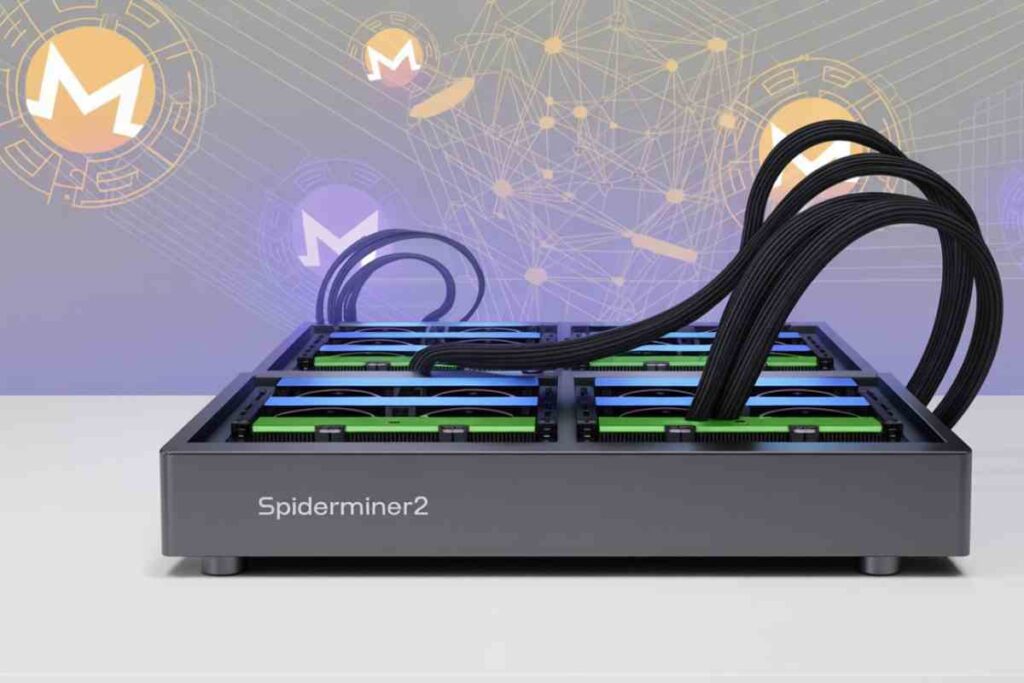

When you hear the name SpiderMiner2, it can mean two very different things. On one hand, it’s a plug-and-play GPU mining rig that makes crypto mining simple. On the other, it’s the name of a malware program that secretly mines Monero on infected computers.
Understanding the difference is crucial for anyone interested in cryptocurrency or digital security. Let’s break it down in simple terms.
What is SpiderMiner2 Hardware?
SpiderMiner2 hardware is a ready-to-use mining rig designed for both beginners and experienced miners. It combines multiple components, motherboard, CPU, RAM, and power supply, into one compact case.
Key Features
- Plug-and-play setup: Just connect power and Ethernet, and you’re ready.
- GPU compatibility: Supports multiple graphics cards for higher mining efficiency.
- Portability: Compact design lets you move it easily without disassembling.
- Safe design: Enclosed chassis protects the hardware from kids, pets, and dust.
Pros and Cons
For Beginners:
- Pros: Easy to set up, minimal technical knowledge required.
- Cons: Limited customization, initial cost might be high.
For Advanced Users:
- Pros: Expandable GPU options, supports efficient mining setups.
- Cons: Less flexibility in component choice compared to custom rigs.
Setup Requirements
- Power: 110V/220V compatible integrated supply.
- Network: Stable Ethernet connection for mining pools.
- Software: Usually pre-configured, but optional mining software can be installed.
| GPU Option | Approx. Hash Rate | Power Usage |
|---|---|---|
| Nvidia RTX 3060 | 50 MH/s | 120W |
| Nvidia RTX 3070 | 60 MH/s | 150W |
| AMD RX 6800 | 58 MH/s | 180W |
This table gives a quick idea of potential performance, though actual results may vary based on mining software and environmental conditions.
How SpiderMiner2 Malware Works
Spider-Miner malware is completely different from the hardware. It’s a Monero-mining Trojan that infects computers without permission.
How It Spreads
- Disguised as torrent files or pirated media downloads.
- Sometimes appears in files with misleading names like movies or games.
What It Does
- Hijacks CPU and GPU resources to mine cryptocurrency.
- Slows down your computer and increases electricity use.
- Runs secretly in the background, avoiding antivirus detection.
Warning Signs
- High CPU or GPU usage without reason.
- Unknown files appearing in system directories.
- Antivirus getting disabled or unexpected system alerts.
Technical Breakdown (Optional for Advanced Users)
Even if you’re not a tech expert, it’s good to understand malware behavior:
- Registry modifications: Malware adds entries to run automatically on startup.
- Process injection: Mining code is inserted into legitimate Windows processes like svchost.exe.
- Antivirus evasion: Hides under system process names and disables detection.
Visual suggestion: A diagram showing the malware lifecycle from download → execution → mining → persistence can help readers understand at a glance.
Hardware vs Malware: Key Differences
| Feature | SpiderMiner2 Hardware | Spider-Miner Malware |
|---|---|---|
| Purpose | Legitimate crypto mining | Unauthorized resource hijack |
| Setup | Plug-and-play, user-controlled | Hidden, stealthy installation |
| Visibility | Transparent | Covert |
| Risk Level | Low (if used properly) | High (security and ethical risks) |
| User Involvement | Active and consenting | Victim of deception |
The similarity in names is coincidental but can confuse beginners. Always double-check sources before downloading software or buying hardware.
How to Protect Yourself from Spider-Miner Malware
Even if you’re careful, threats can sneak in. Here’s how to stay safe:
- Only download from trusted sources like official websites or verified retailers.
- Enable full file extensions in Windows to spot suspicious
.exefiles. - Use reliable antivirus and anti-malware tools that detect obfuscated threats.
- Monitor system performance for unusual CPU or GPU usage.
- Practice ethical mining: avoid pirated software or shady downloads.
Tips for Choosing Legitimate Mining Hardware
Picking the right hardware ensures efficiency and safety:
- Buy from verified sources and authorized retailers.
- Check reviews and crypto forums like Reddit’s r/EtherMining community.
- Avoid deals that seem too good to be true—they may be scams or counterfeit rigs.
- Compare performance, energy consumption, and ease of setup before buying.
FAQ Section
Is SpiderMiner2 hardware safe for beginners?
Yes, it’s designed to be easy to set up and use, with minimal technical knowledge needed.
Can malware with a similar name infect Mac or Linux?
Most Spider-Miner malware targets Windows, but always stay cautious on any platform.
How to check if my system is infected?
Look for high CPU/GPU usage, unknown files, and antivirus alerts.
What GPUs are compatible with SpiderMiner2?
It supports modern Nvidia and AMD GPUs, but check specs for specific models.
How much electricity does SpiderMiner2 use?
Depends on the GPU configuration, but typical rigs range from 120W to 180W per card.
Can SpiderMiner2 malware steal personal data?
No, it mainly hijacks system resources for mining but still affects performance and privacy.
Where to buy SpiderMiner2 safely?
Purchase only from verified retailers or official websites. Avoid second-hand sources with no reviews.
Is there a difference between SpiderMiner2 V2 and older versions?
Yes, newer versions often have improved GPU support, better energy efficiency, and enhanced portability.
Conclusion
SpiderMiner2 represents two very different paths: one is legitimate hardware that makes crypto mining easy and efficient, and the other is malware that exploits your system secretly.
Always verify sources, monitor your system, and follow ethical mining practices. By staying informed, you can enjoy the benefits of mining without falling victim to hidden threats.