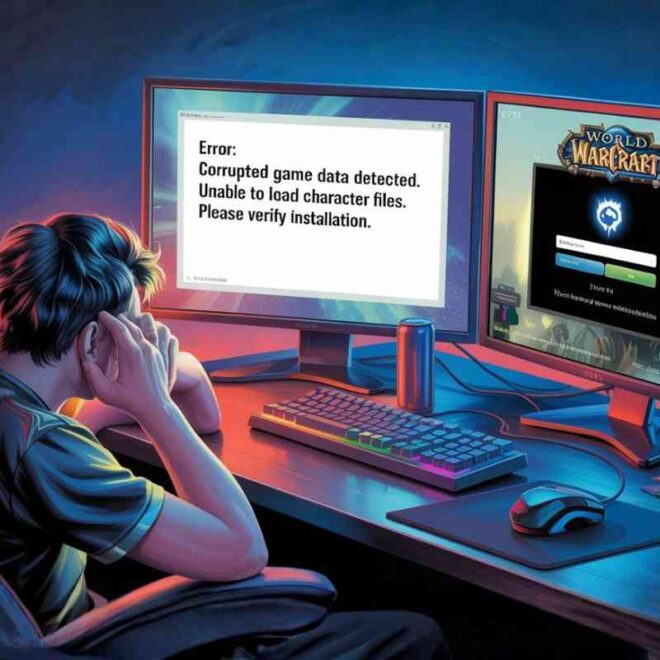

If you are seeing the error “unexpected error occurred processing data/patch-9.mpq”, it usually means your game files for World of Warcraft have become damaged, incomplete, or out of sync with the Blizzard servers. This is a common issue that often appears after a failed update, interrupted download, or file corruption inside the game directory.
In most cases, this error is not serious and can be fixed without reinstalling the game. The key is understanding what is broken and applying the right fix in the correct order.
In this guide, you will learn exactly what causes the unexpected error occurred processing data/patch-9.mpq and how to fix it step by step using proven methods that work for most players.
What is “unexpected error occurred processing data/patch-9.mpq”?
The error unexpected error occurred processing data/patch-9.mpq usually shows up when World of Warcraft fails to load important game data during startup. Most of the time, this happens after a patch update goes wrong, a download gets interrupted, or some game files become corrupted or out of sync with Blizzard’s servers.
It can feel frustrating because the game simply refuses to open without giving a clear reason. But in reality, this issue is not dangerous and rarely requires a full reinstall. It is usually just a broken or incomplete file inside the game directory that needs to be repaired or replaced.
Why does unexpected error occurred processing data/patch-9.mpq happen?
This error usually happens because something interrupts the normal update or file loading process. Below are the most common causes:
- Interrupted or incomplete game update
- Internet disconnection during patch installation
- Antivirus software blocking or modifying game files
- Low storage space during update
- Corrupted cache or addon files
- Sudden system shutdown while the game is updating
- Hard drive or SSD errors (bad sectors)
In many cases, players notice this error after a new patch or expansion update when large files are being downloaded and extracted.
Quick diagnosis before fixing the error
Before applying advanced fixes, it helps to understand the condition of your game setup. Check the following:
- Did the error appear after an update?
- Are you using multiple addons?
- Is your storage drive almost full?
- Does the game crash instantly at launch?
If most answers are “yes,” the issue is almost always file corruption or addon conflict.
Best working fixes for unexpected error occurred processing data/patch-9.mpq
Below are the most effective solutions, arranged from simplest to advanced troubleshooting.
Fix 1: Run Battle net as Administrator
Windows sometimes blocks the game from accessing system files properly. Running the launcher as an administrator removes these restrictions.
Steps:
- Close Battle.net completely
- Right-click Battle.net shortcut
- Select “Run as Administrator”
- Launch World of Warcraft again
This simple fix resolves permission-related issues that can trigger the unexpected error occurred processing data/patch-9.mpq.
Fix 2: Use Scan and Repair tool (Official Blizzard fix)
Blizzard provides a built-in repair tool that checks for missing or corrupted files and replaces them automatically.
Steps:
- Open Battle.net launcher
- Select World of Warcraft
- Click the settings icon near Play
- Choose “Scan and Repair”
- Wait for the process to complete
This method compares your local files with Blizzard’s official server data. If the patch-9.mpq file is broken, it will be replaced automatically.
Fix 3: Delete the corrupted patch-9.mpq file manually
This is one of the most effective solutions when the error keeps repeating.
Steps:
- Open Battle.net
- Go to World of Warcraft installation folder
- Navigate to Data folder
- Find patch-9.mpq
- Delete the file
- Restart Battle.net
Once deleted, the launcher will automatically download a fresh version of the file.
This works because it removes the corrupted version forcing the system to rebuild it.
Fix 4: Reset Cache, Interface, and WTF folders
Sometimes the issue is not the game file but corrupted settings or addons.
Steps:
- Go to your WoW installation folder
- Locate these folders:
- Cache
- Interface
- WTF
- Rename them:
- CacheOld
- InterfaceOld
- WTFOld
When you launch the game again, it creates clean new folders.
This is especially useful if addons are interfering with game data loading.
Fix 5: Disable antivirus temporarily
Antivirus software can mistakenly block or modify game files during updates.
To test this:
- Temporarily disable antivirus
- Launch Battle.net as administrator
- Try running the game again
If the error disappears, add World of Warcraft to your antivirus whitelist permanently.
Fix 6: Check disk health for corrupted sectors
If the error keeps returning even after repairs, your storage drive may be damaged.
You can run a disk check:
- Open Command Prompt as administrator
- Type: chkdsk /f /r
- Press Enter
- Restart your PC
This process scans your drive for bad sectors and repairs file system errors.
Hard drive issues are a less common but serious cause of the unexpected error occurred processing data/patch-9.mpq.
Fix 7: Reinstall World of Warcraft (last option)
If nothing works, reinstalling is the final solution.
Steps:
- Uninstall WoW via Battle.net
- Delete leftover game folders manually
- Restart your PC
- Reinstall the game fresh
This ensures all corrupted files are completely removed and replaced.
Troubleshooting summary table
| Issue Type | Best Fix | Difficulty | Time Required |
|---|---|---|---|
| Permission issue | Run as Administrator | Easy | 2–3 minutes |
| Corrupted file | Scan and Repair | Easy | 10–60 minutes |
| Broken patch file | Delete patch-9.mpq | Medium | 5–10 minutes |
| Addon conflict | Reset Interface/WTF | Easy | 5 minutes |
| Antivirus blocking | Disable/Whitelist | Easy | 5 minutes |
| Disk errors | CHKDSK scan | Advanced | 30–90 minutes |
| Deep corruption | Reinstall game | Hard | 1–6 hours |
How to prevent unexpected error occurred processing data/patch-9.mpq in future
Preventing this error is easier than fixing it repeatedly.
Follow these tips:
- Keep at least 20–30 GB free space during updates
- Do not interrupt game patching
- Avoid forced shutdown during updates
- Keep addons updated regularly
- Add WoW to antivirus exceptions
- Use stable internet connection during patches
These steps reduce the risk of file corruption significantly.
Common mistakes to avoid
Many users make small mistakes that worsen the issue:
- Deleting random game files instead of patch-9.mpq
- Skipping Scan and Repair step
- Ignoring disk health issues
- Not restarting system after fixes
- Running outdated addons
Avoiding these mistakes ensures faster recovery.
When you should worry about hardware
If the unexpected error occurred processing data/patch-9.mpq appears frequently even after reinstalling, the issue may not be software-related.
Signs of hardware problems include:
- Repeated file corruption after reinstall
- Slow system performance
- Frequent crashes in multiple games
- Strange loading delays
In such cases, replacing the HDD/SSD is often the real solution.
FAQs
1. What does unexpected error occurred processing data/patch-9.mpq mean?
This error means the game cannot read a required data file correctly. It usually happens due to corruption, incomplete updates, or broken game files.
In simple terms, World of Warcraft is trying to load damaged data, so it stops working to prevent further issues.
2. Is patch-9.mpq safe to delete?
Yes, it is completely safe to delete this file. It is not part of your account data or game progress.
The file will automatically be re-downloaded by the Battle.net launcher when you repair or restart the game.
3. Will I lose my progress if I fix this error?
No, you will not lose any progress. Your characters, items, and achievements are stored on Blizzard’s servers, not your PC.
This error only affects local game files, not your account data.
4. Why does this error keep coming back after fixing it?
If the error keeps returning, it usually means there is a deeper issue.
Common reasons include a failing hard drive, unstable internet during updates, or antivirus software repeatedly blocking files.
5. Can addons cause unexpected error occurred processing data/patch-9.mpq?
Yes, corrupted or outdated addons can sometimes trigger this error.
Addons interact with game data, and if they break compatibility, they may cause loading issues or file conflicts.
6. Do I need to reinstall World of Warcraft to fix this error?
Not always. Reinstallation is only required if all other fixes fail.
Most users solve the issue using Scan and Repair or by deleting the corrupted patch file.